

A shared direction. A distinct voice for every school.
Give your multi-academy trust a connected way to manage school websites and communications. Central teams gain authorised access to separate school accounts, while each school keeps its identity and local voice.
One trust. Distinct schools.
When websites and approvals sit in separate places, central teams spend time finding the right person and the right version. re-group connects the accounts so trust colleagues can support each school in its own working context.
Your trust account
Set shared direction. Organise linked accounts, authorised access and approved brand guidance.
Authorised oversight and approved shared guidance
School A
- Own identity
- Website
- People
- Resources
School B
- Own identity
- Website
- People
- Resources
School C
- Own identity
- Website
- People
- Resources

School websites with a familiar welcome.
For a parent checking an open-evening date on the way home, the best website gets them to the right answer. Web Studio helps each school make its information clear on the phones families actually use.
School logos, colours, photographs and stories can be distinct, with shared brand guidance providing direction. Teams edit on a desktop and preview smaller screens before publishing.
Shown here: rel-ease’s own mobile website, built with the same native Web Studio blocks.
Website oversight, made practical.
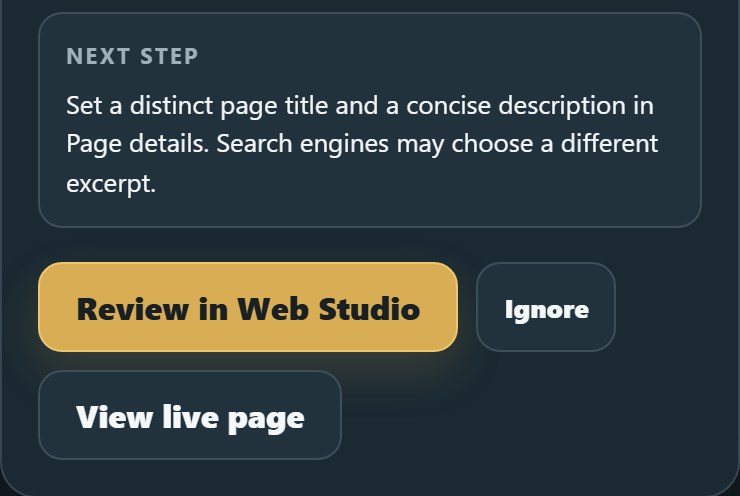
An authorised trust colleague can open a school’s account and check its published rel-ease website, including Web Studio pages. Site Optimiser highlights details such as missing headings, search descriptions, image alternatives and page destinations.
Use the findings alongside your team’s review of admissions dates, policies and governance information. Staff decide what needs changing and check the published result.
Shown: a detail from a real finding from rel-ease’s own website. These checks support human oversight; they do not certify DfE compliance or replace legal review.
From a shared brief to a local welcome.
Trust-wide communications still need a local voice. Take an admissions campaign: agree the shared direction, then give each school room to make its own invitation.
Prepare the message
Use re-think to shape the brief and draft copy. Each school adds its dates, photographs and local welcome using its own account context.
Planning · re-thinkReview the right version
Bring the material into a re-flow project. Invite the relevant people to comment, request changes and record an approval decision against the work.
Feedback · re-flowPublish with purpose
A team member publishes the agreed school page. Add a form or event booking where useful, and promote it through configured marketing channels.
Publication · your team
Useful thinking. Clearer decisions.
Staff stay responsible for the facts, the school’s voice and what goes out. Approval in re-flow does not automatically publish or send anything.
Three moments when it makes a difference.
Familiar work, with a clearer way through.
Open evenings across the trust
Families get the right date, booking details and a welcome from their school. Central teams keep sight of the agreed message. The campaign feels connected without making every invitation identical.
A website review that leads somewhere
Open each school’s active-site checks and review its public information. Turn findings and outdated content identified by staff into amendments to agree, publish and check.
A new school joins the network
Create or link its account, agree access and provide the relevant shared guidance. Keep the school’s branding and local context while its team and trust colleagues prepare and review the new website.
Start with a few schools. Build from there.
Begin with connected school accounts and websites. Add planning, review, forms or events when they have a clear job to do. Introduce the setup school by school.
The website builder is free while using rel-ease. Hosting, paid modules and provider charges are separate. Activate what you need, pay for the modules you use, with no contract.
Discuss the account structure and costs for your trust with us. re-flow is available now; its pricing has not yet been finalised.
Questions before you start.
Can each school keep its own website and identity?
How does central oversight work, and can trust staff help?
Is information kept separate between schools?
Can we begin with websites and add other modules later?
Does rel-ease replace our MIS or specialist education software?
How could we move our existing school websites?
How do we handle website information and approvals?
Let’s work through your school network.
Discuss the account structure, the first schools to involve and the work you want to make easier. Bring your current setup and priorities; we can explore a practical starting point for your trust.
Discuss your trust’s setup