Your website. Made for the screen in their hand.
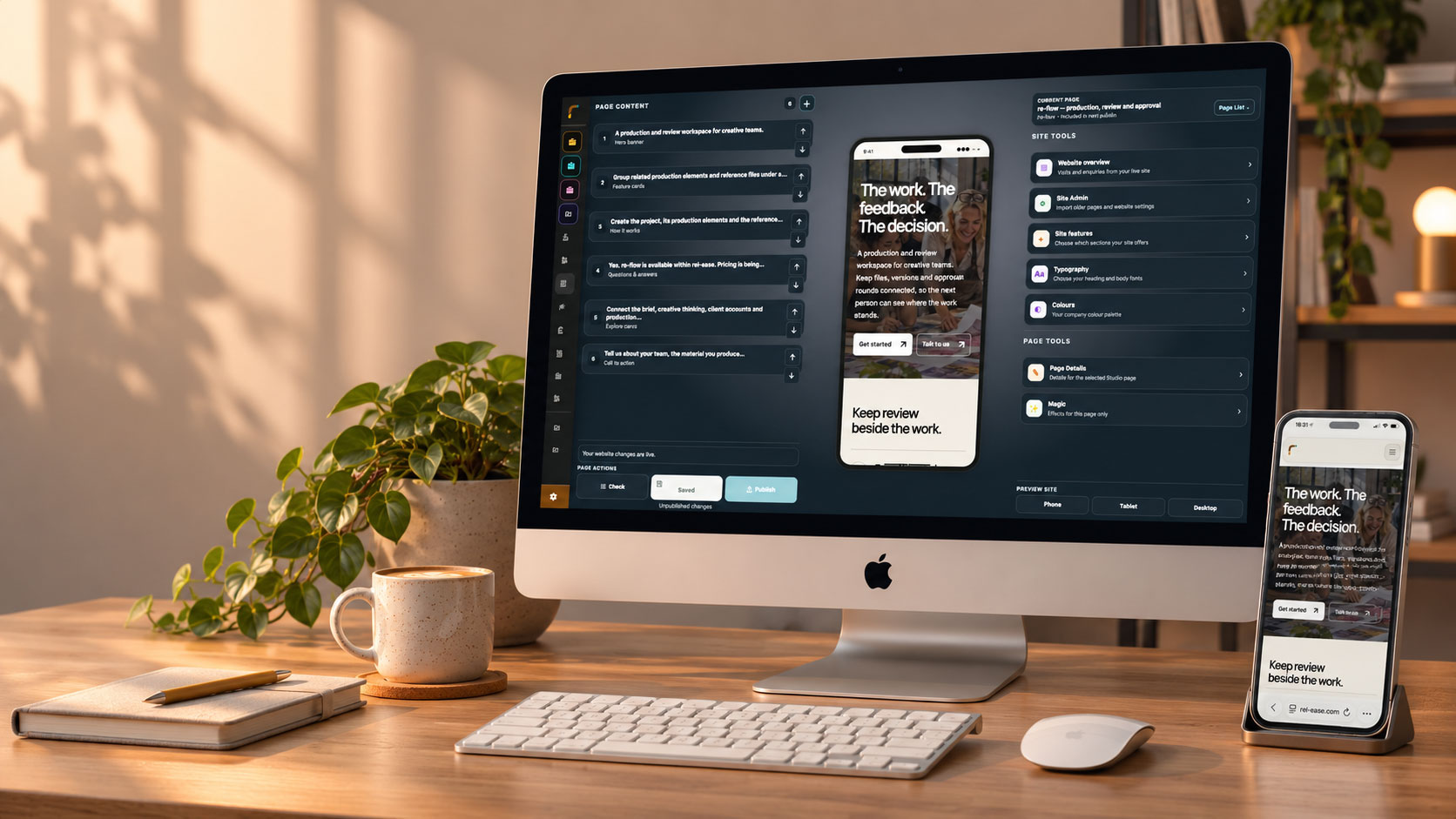
Build on a desktop. Welcome people on every screen. Web Studio turns native blocks and your business content into a website you can keep making your own.
This is a Web Studio website.
The page you are reading is built from the same editable blocks available in Web Studio. Change the words, choose your images and videos, arrange the sections and apply your brand. The result is a proper website you can keep developing, without editing code.
Sections with a purpose
Lead with a strong hero, explain an offer through an image and story, show a gallery or answer practical questions. Choose useful layout variations, duplicate a section and move it into the right place.
Video that fits the story
Use a background preview or give a portrait advert its own space. Add a full video behind the watch button, with clear copy and an image fallback so the page still makes sense before anyone presses play.
Your brand, across the site
Set your colours, typography, navigation style and header and footer colours. Preview the same content on phone, tablet and desktop as you refine the page.
From a new class to a page people can use.
A class provider can introduce the experience, show the real timetable and give visitors a route to booking. Design on a desktop; the finished page is made for visitors on their phones.
Show what makes it worth joining
Start with a clear introduction, your own photographs and, if useful, a short video of the experience.
ArrangeConnect the practical details
Add the published class calendar or event listing from your account, alongside a relevant enquiry form. Keep the source details in their existing tools.
ConnectCheck the experience and publish
Preview the page at phone, tablet and desktop sizes. Save the changes and publish when the wording, media and next steps are ready.
Publish
Bring the business into the page.
Connected blocks use the public content already in your account. Update the underlying product, article or event in its usual place, and the block can show the current published information.
A live product story
Feature a public product, display a category or show new arrivals from your catalogue, with a route into the product’s own page.
A journal worth returning to
Lead with a selected article, show the latest posts or build a reading list from your published blog content.
An action visitors can take
Show the next event, a class timetable or an active account form. Connect the explanation to an enquiry or booking using the relevant enabled tools.
A few practical details.
Is the website module free?
Can I add the adverts I already have?
Can I keep editing after launch?
Your website can do more than sit there.
Give people a clearer picture of your business, then connect the enquiry, booking or next conversation.
Discuss your website